Work with your existing files
Open Excel or CSV files in a spreadsheet grid, with familiar sorting, filtering, and row operations.
Excel AI Studio
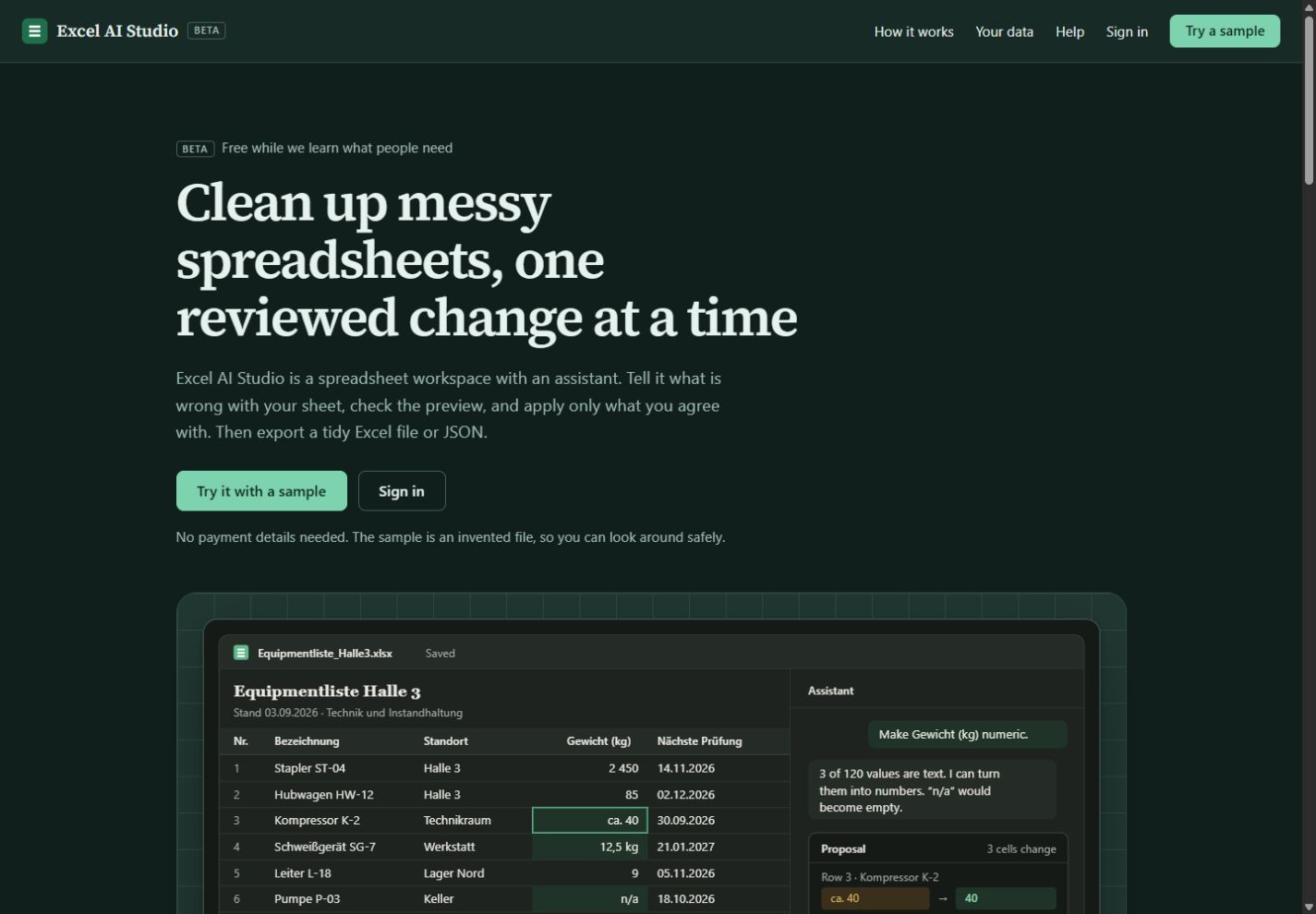
Public betaDescribe a spreadsheet problem, inspect the proposed changes, and apply only what you agree with. Keep your data in view from cleanup to export.
The problem
Equipment lists, reports, and supplier files often contain inconsistent numbers, dates stored as text, and values that need review. Excel AI Studio provides a grid and an AI assistant for this cleanup work.
Inside the product
Open Excel or CSV files in a spreadsheet grid, with familiar sorting, filtering, and row operations.
The assistant shows affected cells and before-and-after values. You decide whether to apply each proposal.
Applied changes are recorded in the history and can be undone. Original workbook formatting is preserved.
Save Excel or CSV, or map columns to structured JSON. Preview the output before exporting.
How it works
Sign in and open your spreadsheet, or explore the product’s sample workflow.
Ask about your data or request a cleanup. Inspect proposed cell changes before proceeding.
Apply what you agree with, undo when needed, and export in the format your next workflow requires.
Excel AI Studio is in public beta and its workspace requires sign-in. The product website explains current usage limits and how the assistant processes spreadsheet context. Keep your original files while evaluating the beta.
Let’s build
Visit the product for current features, plans, and availability.